Best Budget Smart Home Gadgets Under £50 UK
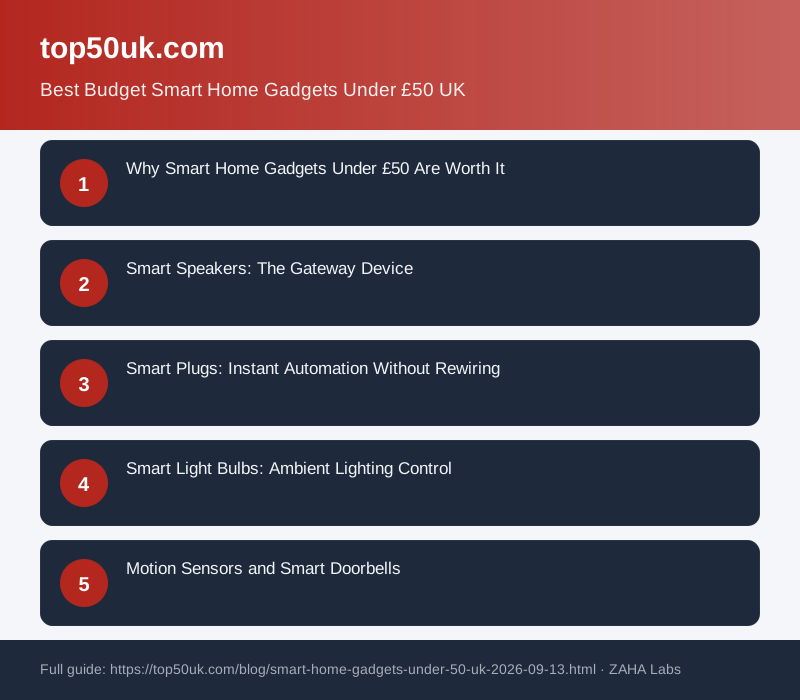
Smart home tech doesn't have to be expensive. Over 60% of UK homeowners say cost is their biggest barrier to automation—but you can transform your home for under £50 per device with smart speakers, plugs, bulbs, and sensors that actually deliver value without breaking the bank.
Why Smart Home Gadgets Under £50 Are Worth It
The smart home market has matured dramatically in the past three years. What once cost £200+ now starts at £15–£40, and the quality has improved significantly. Budget-friendly options from established brands work just as reliably as premium alternatives for basic automation like controlling lights, managing heating, and monitoring security.
More importantly, starting with affordable gadgets lets you experiment before committing larger sums. You'll discover what automation actually improves your life, which features you genuinely use, and which systems integrate best in your home environment.
Smart Speakers: The Gateway Device
A smart speaker is the foundation of most smart homes. It's your hub for voice control, routines, and integration with other devices. The Amazon Echo Dot (5th Generation) remains the gold standard under £50. At around £49.99, it offers excellent sound quality, Alexa integration, and compatibility with thousands of smart devices.
If you prefer Google's ecosystem, the Google Nest Mini is similarly priced with stronger music streaming through YouTube Music. Both work brilliantly with budget-friendly smart lights and plugs, essentially acting as the "brain" of your automation setup.
Smart Plugs: Instant Automation Without Rewiring
Smart plugs are perhaps the most cost-effective way to automate your home. Simply plug one in behind a lamp, fan, or appliance, and you can control it from your phone or voice commands. No rewiring, no installation, no mess.
Two-pack options from TP-Link, Meross, or Amazon Basics typically cost £20–£35 and offer reliable performance with scheduling features. You can set your coffee maker to start brewing ten minutes before you wake up, or ensure appliances turn off automatically at night. Most smart plugs include energy monitoring, helping you identify which devices consume the most electricity and adjust usage accordingly.
Smart Light Bulbs: Ambient Lighting Control
Smart bulbs have become incredibly affordable. A single white smart bulb costs £8–£15, and colour-changing options start around £20–£30. Philips Hue white bulbs work without a separate hub (WiFi-enabled), though adding a Hue Bridge improves reliability for larger setups.
For pure budget-conscious living rooms, LIFX and Wyze bulbs offer excellent value. A pack of four white bulbs costs around £40, and you can automate brightness throughout the day or sync them to music and films. Start with one or two bulbs in high-traffic areas—your bedroom lamp and living room ceiling light—to see why smart lighting improves both convenience and ambience.
Motion Sensors and Smart Doorbells
Motion sensors (typically £15–£30) automatically turn on lights when you enter a room, which is both convenient and adds a layer of security. Budget options from Aqara or Tuya work reliably without monthly subscriptions, making them ideal for renters and homeowners alike.
Smart doorbells often exceed the £50 budget, but weatherproof WiFi chime-only options exist at lower price points, letting you upgrade your existing doorbell into a smart device without full video capability.
How to Choose Your First Smart Home Gadget
Start with one category. Pick either a smart speaker (for ecosystem and voice control) or smart plugs (for instant automation results), then expand from there. A speaker gives you comprehensive voice control; plugs give you immediate, visible automation results.
Check ecosystem compatibility. Ensure devices work with your chosen ecosystem—Amazon Alexa, Google Home, Apple HomeKit, or Samsung SmartThings. Most budget gadgets work across multiple platforms, but deeper integrations favour one ecosystem. Alexa has the widest device support in the UK market.
Avoid subscription traps. Most budget smart gadgets work without monthly fees. Avoid any device requiring an app-based subscription for basic features like scheduling or remote access—there are always cheaper alternatives available.
Read UK reviews. What works brilliantly in the US may struggle with UK WiFi networks or electrical systems. Check local reviews on Amazon UK for real-world UK home experiences before purchasing.
Common Mistakes to Avoid
Don't buy the cheapest option from an unknown brand—the £5 smart plug is often false economy. Connectivity issues waste far more of your time than you'll save on price. Stick with recognisable brands: Amazon Basics, TP-Link, Philips, Aqara, and Wyze have all proven reliable in UK homes.
Don't overload your WiFi. Smart devices add network strain. If you have 20+ devices, consider a dedicated mesh WiFi network (which isn't expensive anymore) before expanding further.
Don't ignore privacy settings. Review app permissions and disable data collection features you don't need. Most UK smart home devices have privacy toggles in their settings.
The Best Part: You're Not Locked In
The beauty of starting with cheap smart gadgets is that you're not locked into expensive commitments. If you hate one brand's app, you can sell it and try another. If you discover you don't use voice control, you haven't wasted £300. This experimental approach means you'll build a smart home that actually fits your lifestyle, not one designed by marketing departments.
Most people find that three to five budget smart gadgets (around £100–£150 total) genuinely improve daily life. From there, you scale up based on actual needs rather than hype.
Related Products
FAQ
Do smart home gadgets really save money?
Yes, but indirectly. Smart plugs with energy monitoring help you identify wasteful appliances. Automated heating and lighting reduce consumption over time. The payback period is typically 1–2 years, after which you're saving money on energy bills.
Which smart home ecosystem should I choose?
Amazon Alexa dominates the UK market and has the widest device compatibility. Google Home is excellent if you use Google services heavily. Apple HomeKit is the most private option but has fewer budget-friendly devices. Start with Alexa if unsure—most affordable devices work with it.
Do I need a hub for smart home devices?
Most budget WiFi-based devices don't require a separate hub—they connect directly to your router. However, adding a smart speaker (which acts as a hub) improves reliability and enables advanced features like automations and routines.
Are budget smart devices secure?
Budget smart devices from established brands are as secure as expensive ones. Use strong passwords, enable two-factor authentication in the app, and regularly update device firmware. Avoid devices from unknown manufacturers with poor app reviews.
Can I use smart devices in rented accommodation?
Absolutely—smart plugs, bulbs, and speakers require zero installation. They're perfect for renters. Just remember to take them with you when you move. Smart thermostats and door locks may violate lease terms, so check with your landlord first.